
- Login into your cPanel.
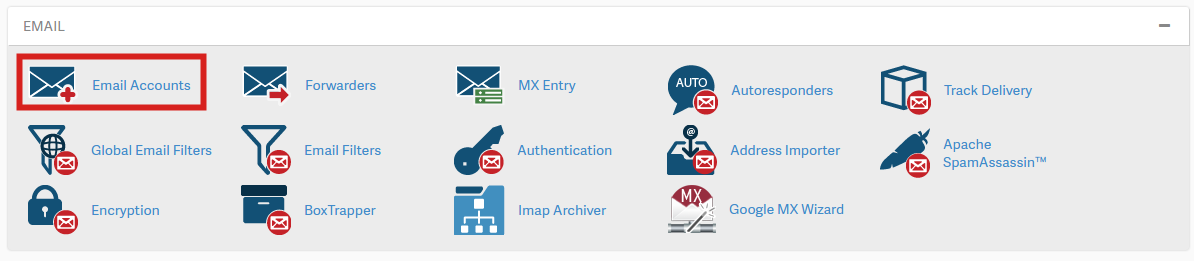
- Click on email accounts
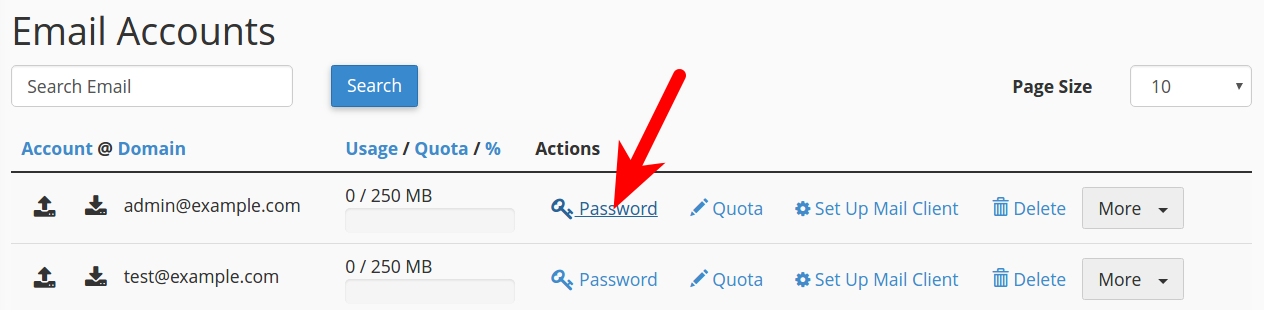
- Then lick the Password link next to your email address.
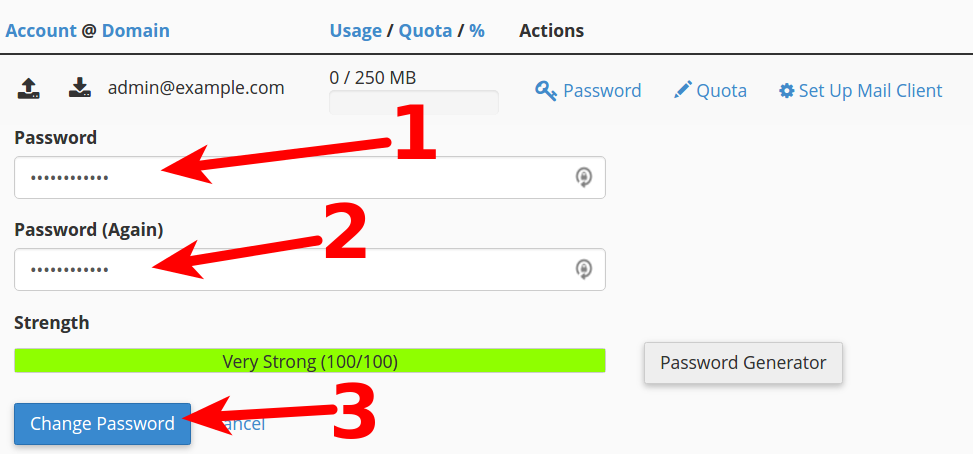
- Type your new password in both boxes, then click the Change Password button. Note you must use a strong password (strength of at least 50).
Powered by WHMCompleteSolution