Steps to change an email password in cPanel

  • Login into your cPanel.
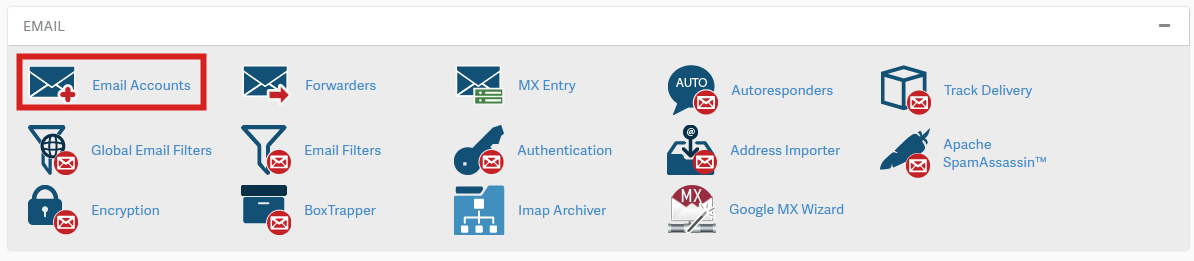
  • Click on email accounts

cpanel_email-accounts-paper-lantern.png

  • Then lick the Password link next to your email address.
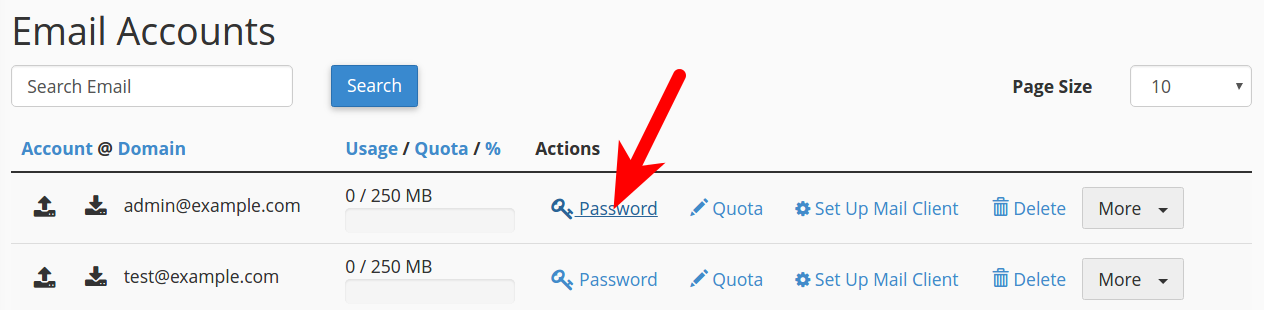
cpanel_email-password.png

  • Type your new password in both boxes, then click the Change Password button. Note you must use a strong password (strength of at least 50).
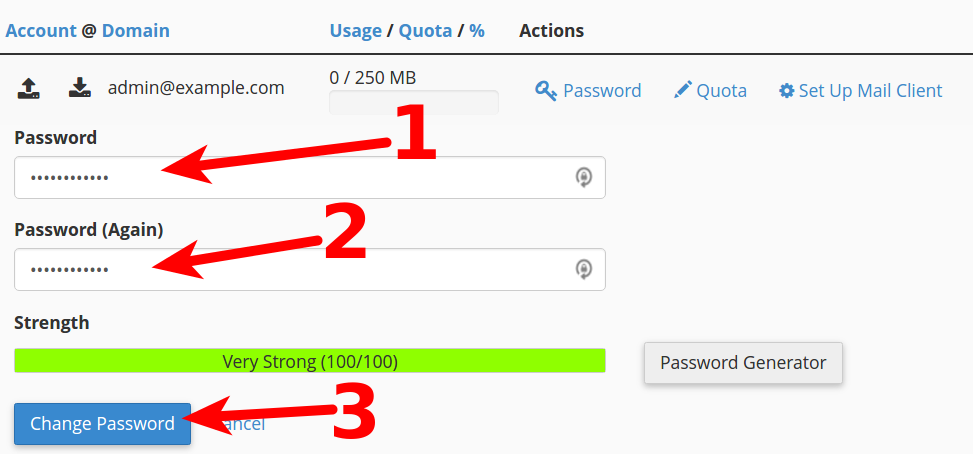
cpanel_changing-password.png

  • 0 用戶發現這個有用
這篇文章有幫助嗎?

相關文章

How to Setup FTP on FileZilla?

Host Name: yourdomain.comProtocol: FTP - File Transfer ProtocolEncription: Use Plane FTPLogon...

How To Setup your Email on email clients for cpanel users?

Incoming Server: mail.your-domain.comOutgoing Server: mail.your-domain.comUsername: Your full...

Powered by WHMCompleteSolution